
Last Updated on March 23, 2026
If you work in investment banking, private equity, corporate development, or legal teams, you handle sensitive information daily and need a secure place to manage it. A virtual data room (VDR) gives you a centralized platform to store documents, control access, and share confidential documents during critical transactions.
Unlike physical data rooms, a VDR offers enhanced security, easier access, and support for multiple parties at the same time, making it essential for M&A deals, fundraising, IPO prep, audits, and other high-stakes work.
In this guide, you’ll learn the key virtual data room features to look for, how virtual data rooms provide secure document sharing, what to expect from different VDR providers, and how to avoid common issues that slow deals down. You’ll also get clear decision points, best-practice workflows, and a checklist to help you choose the best virtual data rooms for your needs.
Why VDRs Matter: Context for High-Stakes Deals
A virtual data room (VDR) gives you a secure online space to manage and share confidential information during important transactions. It’s different from tools like Google Drive or other basic file-sharing platforms because it’s built specifically for deals that involve sensitive documents, large volumes of data, and multiple parties. You’ll see VDRs used most often in mergers and acquisitions, fundraising, IPOs, audits, and other situations where the due diligence process requires strong data security and controlled access. A VDR replaces physical data rooms by giving you a safer, faster, and more flexible way to review and organize documents.
Virtual data rooms provide key features that help protect sensitive information, including advanced encryption, granular permissions, two-factor authentication, audit logs, and document tracking. These security features let you control who can view, download, or share confidential documents. Many VDRs also include tools like watermarking, AI-powered redaction, and optical character recognition (OCR) to help you find and manage documents more easily. Because everything sits in one centralized platform, you avoid the risks that come with sending files by email or storing confidential information in places that don’t offer robust security.
A strong VDR matters because it directly affects deal speed and accuracy. Virtual data rooms provide better document management, faster review cycles, and seamless collaboration, which helps you move through due diligence without delays. Legal teams, investment banks, private equity firms, and corporate development teams rely on VDRs to reduce errors, maintain compliance, and keep potential buyers informed. When your data room is easy to use, supports mobile access, and keeps every file organized, you build more trust with investors and advisors while protecting your sensitive documents at every stage of the deal.
Core (Baseline) Viritual Data Room Features, What Every Deal Team Should Expect
The foundation of any virtual data room is a set of essential features that protect your sensitive information and keep your due diligence process organized. These are the tools every deal team should expect before considering any advanced capabilities.
Secure Storage and Encryption
Every strong virtual data room starts with security. Your documents should be protected with AES-256 encryption at rest and TLS encryption in transit, along with multi-factor authentication and IP controls. These protections help reduce the risk of data breaches and make sure only verified users can access your sensitive information. A reliable VDR gives you a secure place to store and share confidential documents without exposing them to unnecessary risks.
Precise Access and Permission Controls
You also need the ability to control access at a detailed level. Granular permissions let you decide who can view, download, print, or share each file. This matters when you’re working with investors, advisors, lawyers, and potential buyers who only need access to specific parts of your deal room. With proper permission management, you can follow the principle of least privilege and avoid accidental exposure of confidential information.
Organized Document Management
A dependable VDR should make it easy to manage large volumes of documents. Drag-and-drop uploads, bulk upload tools, and automatic indexing help you structure your data room quickly. Features like version control, metadata tagging, and OCR search make it easy to find key information without digging through dozens of folders. The goal is to keep everything organized so your diligence process stays smooth and efficient.
Visibility and Document Protection
You should always know what’s happening inside your data room. Audit logs and activity tracking show who viewed each file, when they opened it, and what actions they took. This visibility helps you monitor buyer interest and stay compliant throughout your diligence process. At the same time, document protections like dynamic watermarking, secure viewing, and download restrictions help safeguard sensitive documents once they’re shared.
Built-In Collaboration Tools
Deal teams work faster when communication stays inside the platform. A core VDR should offer Q&A modules, comment tools, and simple workflows so that questions and discussions don’t get lost in long email threads. These collaboration features help multiple parties stay aligned, especially when you have investors, lawyers, and advisors reviewing documents at the same time.
Simple, User-Friendly Design
A good VDR should be easy for anyone to use. Clean layouts, intuitive navigation, and mobile access help both technical and non-technical users move through the data room without confusion. When the interface is simple, you save time, reduce mistakes, and avoid the frustrations that slow down the due diligence process.
Advanced & Deal-Ready Features for Large or Complex Transactions
When your deal involves many users, large files, or stricter security needs, you’ll need more advanced VDR features. These tools help you manage sensitive documents at scale, support fast reviews, and maintain strong document security throughout the diligence process.
User-Friendly Design for Non-Technical Stakeholders: Advanced VDRs give you a clean user interface, clear navigation, and simple workflows. This matters when external counsel, investors, auditors, or buyers are not familiar with complex tools. A user-friendly design prevents delays and makes collaboration smoother for everyone.
Dynamic, Role-Based & Time-Limited Permissions: These permissions let you set different access levels for each group, such as bidders, auditors, legal teams, and potential buyers. You can also give temporary access during certain stages of the diligence process and revoke it instantly if needed. This is important when you want to share confidential documents but still maintain tight control access.
Performance & Scalability: Advanced virtual data rooms provide fast uploads, bulk operations, smart indexing, and strong search tools so you can handle large volumes of documents. High performance becomes essential when your deal room contains thousands of files, large files like videos or technical data, or when multiple parties are online at the same time.
Compliance-Ready Audit & Logging: For deals involving regulators or strict compliance rules, you need detailed audit logs. These logs record every user action, views, downloads, edits, and time spent in documents. Many VDR providers allow you to export these logs for legal or regulatory reviews, supporting standards like SOC 2, ISO 27001, HIPAA, and GDPR.
Data Lifecycle Management: This feature helps you manage documents before, during, and after the deal. You can set retention policies, archive information, or permanently destroy sensitive data once the transaction ends. It reduces the risk of leaving confidential information in old data rooms and helps maintain long-term data security.
Redaction & Sensitive-Data Protection: Advanced VDRs include built-in redaction tools, often AI-powered, that help you hide sensitive information such as personal data, IP details, or legal notes. This allows you to share documents widely while still protecting the most sensitive parts.
Integration & Automation Support: Some VDRs connect with tools your team already uses, such as CRMs, deal-management platforms, or workflow systems. APIs and automation features help reduce manual work by syncing documents, tracking updates, and managing requests without switching between multiple tools.
Cross-Border / Global Deal Features: For international deals, VDRs offer data residency options, geo-based access controls, and support for multiple languages. These features help global teams collaborate safely and ensure your data stays compliant with local laws when working across different regions.
What Often Goes Wrong: Common Pain Points & Trade-offs in Real-World Use
Even strong virtual data rooms can create challenges when many users, large volumes of documents, or sensitive data are involved. Most issues appear when the VDR is set up too quickly, when permissions aren’t reviewed, or when the platform lacks key features needed for secure document sharing. Understanding these pain points helps you protect confidential information and keep your diligence process running smoothly.
Slow Performance With Large Files
One common issue is slow performance during bulk uploads or when working with large files. If the data room isn’t optimized for speed, your team may struggle to search documents, load folders, or use OCR efficiently. This slows down the due diligence process and frustrates potential buyers or legal teams who need quick access to key information.
Confusing or Overcomplicated Permissions
Another problem is misconfigured permissions. Over-permissioning exposes sensitive documents to users who shouldn’t see them, while limited access slows down reviews. Since virtual data rooms provide granular permissions and role-based access, you must review permissions regularly to keep confidential information protected and maintain secure access.
Poor User Experience
A difficult user interface creates delays, especially for non-technical users like auditors, investors, and law firms. When navigation, search, or mobile access feels confusing, teams often fall back to email or external file sharing, creating new security concerns. A user-friendly VDR with clear document tracking helps you avoid these mistakes.
Unexpected or Hidden Fees
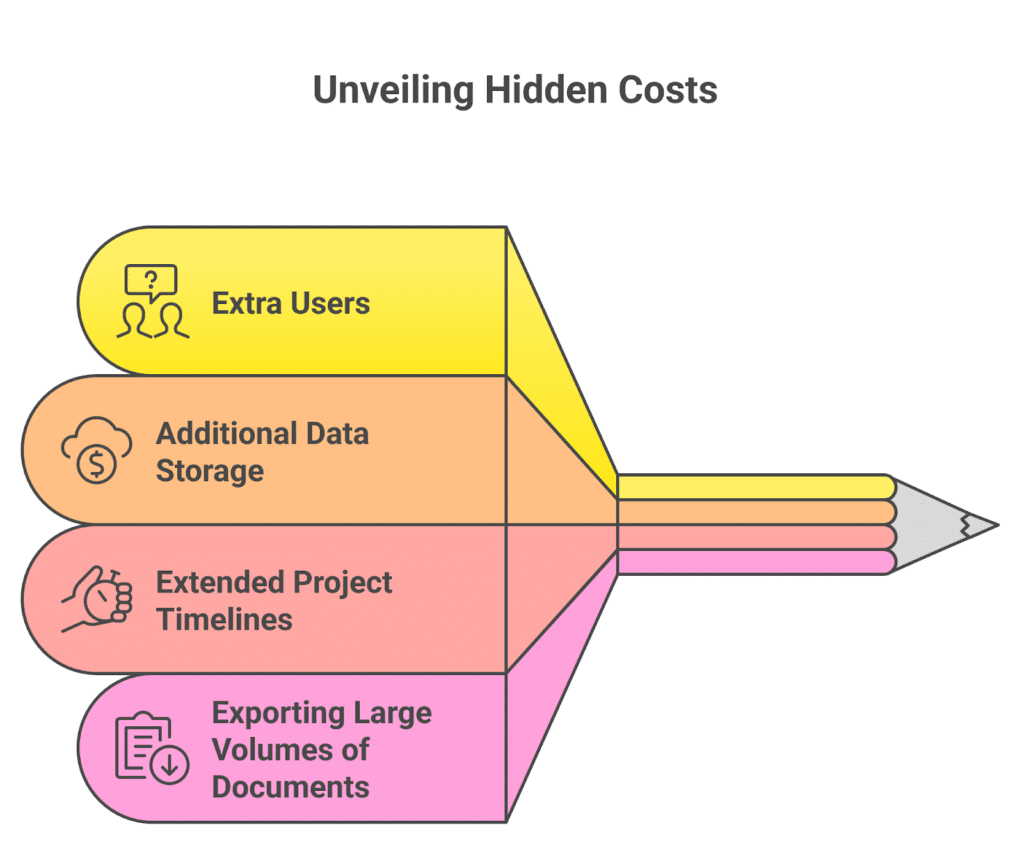
Some VDR providers charge hidden fees for:
- Extra users
- Additional data storage
- Extended project timelines
- Exporting large volumes of documents
These pricing surprises make smaller deals and fundraising rounds more expensive than expected. Transparent pricing makes it easier to budget and prevents frustration later.
Assuming “The VDR Will Handle Security for Us”
A major issue is believing that a VDR alone prevents data breaches. In reality, human error causes many risks, such as weak passwords, unsecured downloads, and failure to remove users after closing deals. Using features like watermarking, DRM controls, two-factor authentication, and detailed audit logs helps you maintain document security throughout the diligence process.
Poor Post-Deal Cleanup
Many teams forget to revoke access or remove sensitive data once the deal closes. Without data lifecycle management, confidential information stays in the data room longer than necessary. This increases long-term security concerns and makes sensitive documents more vulnerable.
Decision Guide & Feature Checklist for Deal Teams
Choosing the best virtual data room becomes easier when you focus on the features that matter most for your transaction. Your priorities will depend on your deal size, the number of users involved, the level of sensitive information you’re sharing, and how fast you need to move through the due diligence process. This section helps you filter what you truly need and avoid paying for features you won’t use.
What to Prioritize Based on Your Deal
Start by deciding what matters most for your team. If your main focus is security, look for advanced encryption, granular permissions, watermarking, and detailed audit logs. If you need speed and organization, features like bulk upload, automatic indexing, OCR search, and easy document tracking should be at the top of your list. If your deal involves multiple parties, choose a VDR with strong collaboration features, mobile access, and a user-friendly interface.
Essential Questions to Ask VDR Providers
Before choosing a platform, ask each provider:
- What security features protect sensitive data and confidential documents?
- Do you support SOC 2, ISO 27001, HIPAA, or GDPR compliance?
- How do you handle large volumes of documents or large files?
- Are granular permissions, role-based access, and two-factor authentication included?
- Do you offer real-time analytics and detailed audit logs?
- Are collaboration features like Q&A, comments, and version control built in?
- Is mobile access available for all users?
- What are your hidden fees, if any?
- Do you offer a free trial so we can test the user interface?
These questions help you compare vdr providers and avoid platforms that look good on the surface but fail during critical transactions.
Red Flags to Watch Out For
While evaluating VDRs, move cautiously if you notice:
- Slow loading during bulk uploads
- Limited document protection tools
- Confusing or outdated user interface
- No AI redaction or weak search features
- Extra charges for additional users or data storage
- Lack of activity tracking or clear audit logs
- Poor support for multiple languages or global teams
Any one of these can slow your diligence process, create security concerns, or increase your long-term costs.
Quick Feature Checklist
Use this checklist to compare platforms quickly:
- Secure document sharing
- Advanced encryption and DRM
- Granular permissions and role-based access
- Bulk upload and drag-and-drop
- Automatic indexing and OCR
- Version control
- Dynamic watermarking
- Activity tracking and audit logs
- Q&A and collaboration features
- Mobile access
- Multiple languages
- Clear pricing with no hidden fees
This list gives you a practical way to evaluate the best virtual data rooms and choose the one that fits your deal requirements.
Workflow & Best-Practice Recommendations for Smooth Deal Execution
A well-structured virtual data room helps you protect sensitive documents, avoid delays, and move through the due diligence process with confidence. The right workflow makes it easier for legal teams, corporate development teams, private equity groups, and potential buyers to review confidential information without confusion. These best practices help you set up your data room in a way that supports faster reviews, stronger data security, and seamless collaboration.
Prepare Your Documents Before Uploading
Start by organizing your files before placing them into the data room. Create a clear folder structure, label documents properly, and group files by categories such as financials, legal, IP, HR, tax, and compliance. Using consistent naming and version control helps users find key information quickly. Bulk upload and drag-and-drop features make the initial setup easier, and automatic indexing helps keep everything structured.
Build a Strong Access & Permission Strategy
Assign permissions using the principle of least privilege. Give each user access only to the folders they need. Review permissions regularly, especially when new users join the diligence process. Use tools like two-factor authentication, granular permissions, IP restrictions, and time-limited access to protect sensitive data. This helps prevent accidental exposure and ensures your secure document sharing stays secure.
Onboard External Users Smoothly
Not every user is tech-savvy, so provide clear instructions for navigating the virtual data room. Many VDRs offer mobile access and user-friendly interfaces to reduce onboarding friction. Assign “deal-room admins” who can answer questions, manage user activity, and assist with document tracking. A smooth onboarding process prevents delays and reduces mistakes when multiple parties start reviewing files.
Maintain Audit & Compliance Hygiene
Turn on full activity tracking so you can monitor document views, downloads, and user activity. Export audit logs regularly to maintain compliance and transparency, especially during M&A deals, IPOs, or audits. Use watermarking, restricted downloads, and secure viewer modes to protect sensitive documents. Staying on top of audit logs gives you a clear picture of engagement from potential buyers and helps you track key information safely.
Use Q&A and Collaboration Features
Keep all communication inside the VDR. Use the built-in Q&A module, comment threads, and task-assignment tools to manage questions and requests. This prevents messy email chains and ensures all discussions about sensitive information stay in a centralized platform. These collaboration features support seamless collaboration among investment banking teams, law firms, and advisors.
Don’t Forget Post-Deal Cleanup
Once the deal closes, remove access for all external users, archive necessary documents, and securely shred files that should not be stored long-term. Many VDRs offer data lifecycle management features to help you manage retention and destruction. Save final audit logs and key records for future reviews, audits, or other transactions. Proper cleanup protects confidential information long after the diligence process ends.
Frequently Asked Questions
1. What Does VDR Mean?
A VDR (Virtual Data Room) is a secure online platform used to store, manage, and share confidential documents during business transactions. Unlike standard file-sharing tools, a VDR provides advanced encryption, granular permissions, audit logs, and document tracking to protect sensitive data throughout the due diligence process.
2. What is A VDR Used For?
A VDR is used to support M&A due diligence, fundraising, IPOs, audits, legal reviews, and other transactions that require secure access to confidential information. It allows multiple parties, such as investors, potential buyers, lawyers, and auditors, to review sensitive documents in a controlled, centralized environment without risking data breaches.
3. What Are The Key Features Of A VDR?
Key VDR features include secure document sharing, advanced encryption, granular permissions, dynamic watermarking, Q&A modules, audit logs, OCR search, bulk upload tools, version control, AI redaction, and mobile access. These tools help teams manage large volumes of sensitive data efficiently while keeping every document protected and easy to track.
Conclusion
A well-chosen virtual data room gives you more than a place to store documents. It becomes the secure, centralized platform you rely on to manage sensitive information, support multiple parties, and guide your deal from start to finish. Whether you’re handling M&A due diligence, fundraising, IPO preparation, or other critical transactions, the right VDR features help you protect confidential documents, speed up reviews, and avoid costly mistakes.
By focusing on secure storage, granular permissions, document tracking, and user-friendly design, you set up a deal room that keeps your team organized and reduces security concerns. Advanced capabilities, like AI redaction, OCR search, detailed audit logs, and role-based permissions, give you even more control during complex transactions. These tools support better collaboration across various industries and help potential buyers, auditors, and legal teams work confidently inside the platform.
With a clear workflow, proper setup, and regular permission reviews, you can get the most value out of your VDR and maintain strong protection for sensitive data at every stage of the diligence process. A well-run VDR doesn’t just help you close deals faster; it helps you close them with more confidence, visibility, and security.

Patrick Schnepf is the Senior Vice President of Global Sales at SmartRoom, where he leads strategic initiatives to enhance secure file-sharing and collaboration solutions for M&A transactions. With a career spanning over two decades in sales and business development within the technology sector, Patrick has been instrumental in driving SmartRoom’s global revenue growth and expanding its market presence. He is a growth-oriented leader who excels at building go-to-market strategies that accelerate adoption, deepen customer relationships, and business impact.